

Programme real industrial equipment. Right here in your browser.
Write the code, press Run and watch a working machine do exactly what you told it, mistakes included. It is the fastest, safest way to learn PLC programming.
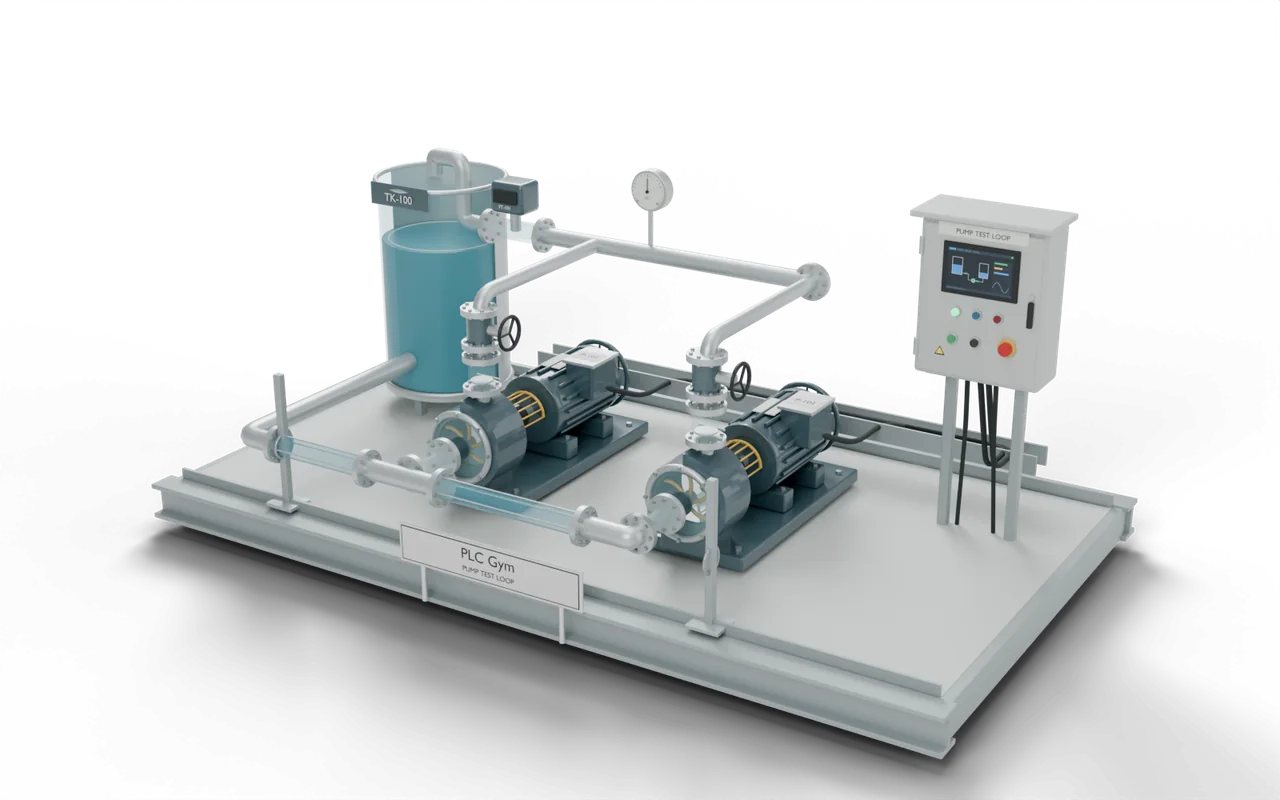
New to all this? A PLC is the small industrial computer behind almost every machine in a factory, water works or warehouse. It reads buttons and sensors, follows its programme and switches pumps, valves and motors. Here, you write that programme and the 3D plant shows you what it does.
Read it, write it, run it, test it
The same loop every time, from your first pump to a whole factory. You do not have to get it right first time: the machine and the tests show you what to change.
Read the job
Every mission starts with a short brief: what the machine should do, which inputs and outputs it has, and how to try it.
- Choose Siemens or Rockwell, then a language
- Text reads like instructions; ladder and function blocks are diagrams
- The operating rules say exactly what has to happen
Write the programme
Change the starter code. Text editors check your syntax as you type. Diagram editors let you place contacts, coils, blocks and steps.
- Editors styled on TIA Portal and Studio 5000
- Drafts save as you type
- Export your code for the real vendor software
Run it and watch
Press Run. Every 20 milliseconds the PLC reads the inputs, runs your code and writes the outputs, and the 3D machine moves.
- Hold Start or Stop to press them, like real push buttons
- Pause freezes time; Step scan moves one scan at a time
- Readings show each command and what the machine really did
Test it, then fix it
Test solution tries your code in several situations. If one fails, replay it scan by scan and see exactly when it went wrong.
- Hints build up one at a time
- After a real attempt, open the solution and its explanation
- Pass every test to complete the mission
Look around a working rig
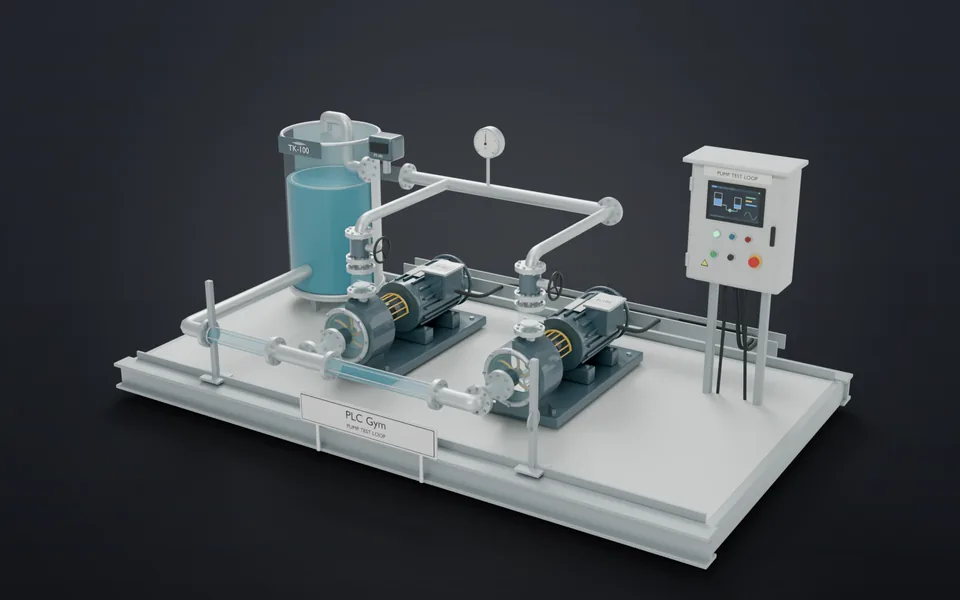
These are the real 3D machines from the missions. Drag to turn them, and pick a part to see what it does on a real site.
Explore the equipment
Where you'd find this
In a block of flats, a basement tank holds water from the mains. Two pumps push it up to the taps above. One runs while the other waits as a spare. A low-water switch stops the pumps before the tank runs dry.
- Street mainsWater enters the building
- Storage tankHolds a supply for the pumps
- Water pumpsPush water to the floors aboveYou are here
- Taps upstairsResidents use the water they need
On a real site: places, parts and safety
- Block of flats — pushing water up to the top floors
- Brewery — sending hot water to a brewing tank
- Water-treatment works — moving water between filter tanks
- Office building — pumping water round the heating pipes
A low-water switch can take away permission to run. The pump must stop before it runs dry and damages its seal.
The PLC can say ON even when a pump has failed. Check the measured flow as well as the command.
The Stop input in these exercises is not an emergency stop. Real machines also need guards, emergency stops and a safe way to cut the power.
The sizes, timings and cutaways are teaching choices, not a drawing of any one real installation.
Drag to explore. Select a component to learn what it does. Start an exercise to control the equipment with your code.
- Look around
Drag to rotate, use two fingers or right-drag to pan, and pinch or scroll to zoom. On a keyboard: arrows pan, Shift + arrows rotate, +/− zoom and 0 resets.
- Press a button. Set a switch.
Hold Start, Stop or Reset to press it; let go and it springs back. Switches such as Auto mode keep their setting.
- Keep your work
Drafts save as you edit. Export a backup to move your progress, or export your code for TIA Portal or Studio 5000.
Everything a training rig gives you. None of the cost or risk.
| Topic | The usual way | Here |
|---|---|---|
| Software | Vendor licences and a Windows PC set up for TIA Portal or Studio 5000. | Open a browser tab. Nothing to install, no licence, no account. |
| Equipment | A training rig, or a spare PLC wired to a few switches on a bench. | 25 working 3D machines: pumps, tanks, valves, heaters, mixers, filling lines and a whole factory. |
| Mistakes | On a live plant, one wrong line can flood a floor or run a pump dry. | The tank overflows on screen. You see exactly why, then press Reset. |
| Seeing what happened | A fault is over in a fraction of a second. | Rewind any failure one 20 millisecond scan at a time. |
| Fault finding | It takes years on site to meet a sticking valve or a drifting sensor. | Faults are built into the plant, ready when you are. |
| Siemens or Rockwell | Most courses teach one or the other. | Both, in eight editor styles, from SCL and LAD to Structured Text and Ladder. |
What runs underneath
Behind the 3D equipment is a complete PLC engine, process physics and a test system, all running in your browser. Open “For engineers” on any point for the detail.
A real controller, not an animation
Every 20 milliseconds the simulator reads the inputs, runs your programme and writes the outputs: the same cycle a real PLC follows. The equipment only moves because your code told it to.
For engineers
A deterministic virtual clock drives the worker. Plant updates and grading use the same simulation model. Rendering and playback speed do not change the scan results; replay keeps the tested programme revision.
Your code genuinely runs
SCL, Structured Text, ladder, function blocks and sequence charts are compiled and executed by the academy's own PLC engine. Get it wrong and it really does not work.
For engineers
Separate vendor profiles parse SCL and Structured Text and validate LAD/Ladder, FBD and GRAPH/SFC. Typed executable instructions preserve line and node references. The interpreter never evaluates learner code as JavaScript, and instruction budgets bound execution.
The plant has physics
Tanks fill at a real rate and overflow when they are full. Valves take time to travel. Pumps run down after they stop. Heat builds slowly. Just like on site, timing matters.
For engineers
Scan-time plant models calculate tank balances, actuator travel, pump speed, conveyor position and thermal response. Rendered equipment consumes simulation frames rather than an independent animation timeline.
Stop time. Rewind it.
Pause the whole plant, step one scan at a time, or replay a failure and watch the code, the readings and the 3D equipment move together. You cannot do that on a real machine.
For engineers
Each test run records every scan: tag values, executed lines or nodes, and the plant state. Replay drives the same 3D scene from those recorded frames, so the picture, the readings and the highlighted logic always agree. Pause holds simulation time; Step scan advances exactly one 20 ms cycle.
Faults hide in the equipment
A valve that sticks part-open. A level sensor that drifts. A flow switch that chatters. A pump that trips. The code can look perfect while the plant misbehaves, and finding out why is the real skill.
For engineers
Seeded anomalies include slow valve travel, stalled valves, sensor drift, chattering flow feedback and timed pump trips. Fault evolution uses simulation time. Task setpoints and tag names vary consistently with their marking scenarios.
Built to the vendors' rule books
Timers, counters, edges, numbers and sequences were checked against the official Siemens and Rockwell instruction manuals, and corrected where they differed.
For engineers
The review covers the Logix general-instruction, Structured Text and SFC manuals, plus the Siemens S7-1200 system manual and S7-1200/1500 programming guideline. It led to timer-state, prescan, numeric conversion and CASE validation fixes. The source references are on Simulator scope & sources.
Take your code to the real software
Export Siemens SCL, or Rockwell Structured Text and ladder, as files made for TIA Portal and Studio 5000.
For engineers
SCL produces a .scl external source with block declarations. Rockwell exports .L5X XML with program tags and an ST or RLL routine. The export checks the document and explains when its editor or construct cannot be exported.
Nothing to install
It runs in any modern browser on a laptop. Your work saves as you go, and more than 2,000 automated tests keep every instruction, mission and rig behaving the same way every time.
For engineers
The simulator and marking run in a browser worker. Your drafts and progress use IndexedDB. JSON backup export/import lets you move your learning record. Interview attempts are saved separately in browser storage.
- editor profiles
- 8
- working 3D rigs
- 25
- course stages
- 31
- practice missions
- 61
- interview tasks
- 13
Hire for what they can do, not what their CV says.
A CV can say “TIA Portal”. It cannot show you how someone reacts when a valve sticks and the tank keeps rising. In a short supervised interview, the candidate finds a real fault on a working plant, then talks your engineer through the fix.
- PrepareChoose a task, a language and a time limit.
- InvestigateThe candidate runs the rig, changes the programme and checks the result.
- Talk it throughThe report gives their code, results by scenario and questions to ask next.
Before you start
Do I need any software?
Just a browser. You do not need TIA Portal, Studio 5000 or a physical PLC to use the academy.
Should I choose Siemens or Rockwell?
Choose the one used at your workplace. If you are new, start with the guided labs. You can choose a vendor when you reach the course and compare both in the lessons.
Where is my progress saved?
In this browser on this device. Use Export backup in Your progress to keep a copy or move it to another computer. Clearing the site's browser data removes the local record.
Does it work on a phone or tablet?
You can read lessons, use the glossary and answer checks on a phone. A laptop or desktop gives you more room for code, diagrams and the 3D rig.
Is this the real thing?
It is a full PLC simulator. Your programme is compiled and run scan by scan using Siemens and Rockwell instruction rules, and it controls working 3D equipment. The editors are styled on TIA Portal V20 and Studio 5000 v38, so what you learn carries straight over.
Your plant is waiting.
Pick a starting point. You will be running equipment in minutes.