

Call one block for two pumps
One block, two copies, each with its own memory.
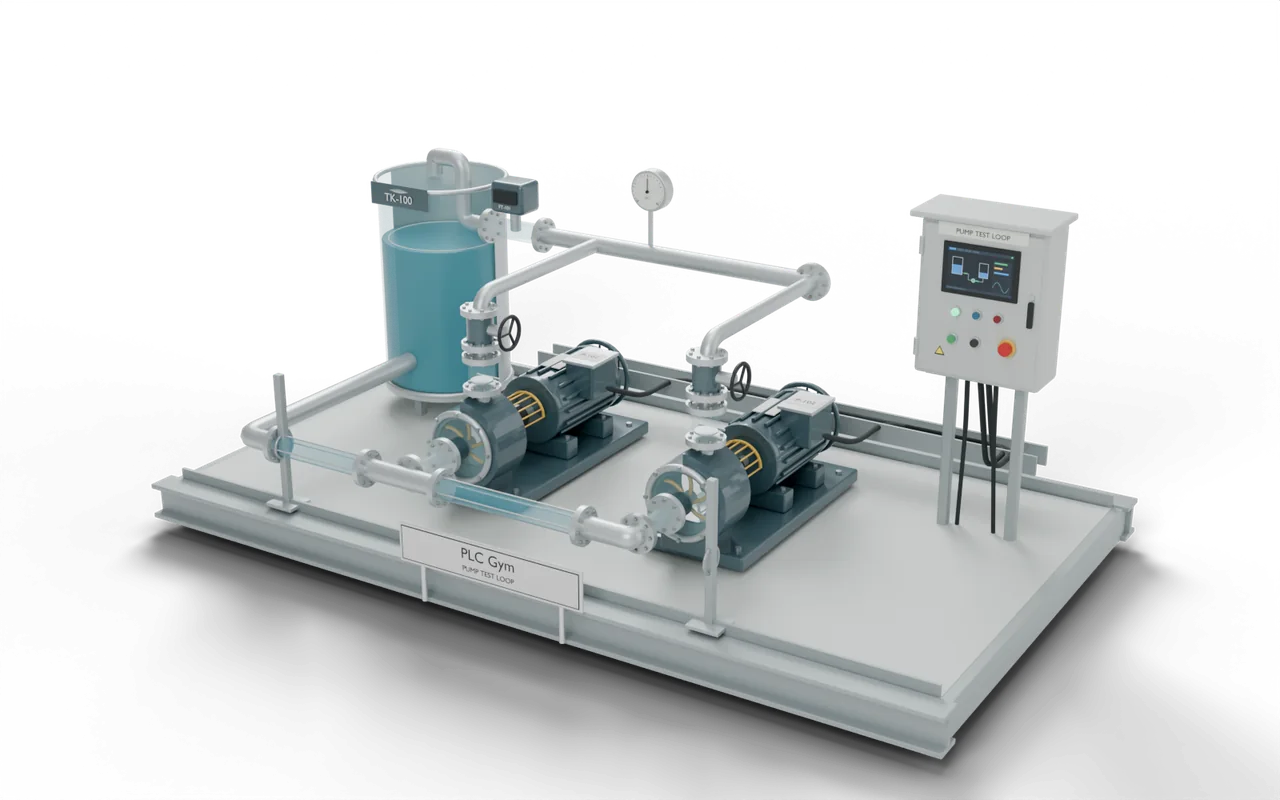
Call the ready-made PumpControl block every , once as DutyControl and once as StandbyControl. Each is an instance: a copy of the block with its own memory. Start latches PumpOn on. StandbyStart latches StandbyPump on. Each works on its own. Stop, or losing Permit, stops both pumps. Fault stops only the duty pump, and StandbyFault only the standby pump. Each instance reports Running and Starts in DutyStatus and StandbyStatus.
 Pro mission
Independent instances and held pushbuttons
Test 1 of 3PumpOnDuty pump commandOFFStandbyPumpStandby pump commandOFFDutyStatus.StartsDuty pump starts1StandbyStatus.StartsStandby pump starts1- Level
- Advanced
- Time
- About 20 min
- Reward
- +300 XP
- Rig
- 3D pump skid
- Siemens editors
- SCL
- Rockwell editors
- Structured Text
- Course stage
- 20. Reuse tested control logic
What the tests check
- DutyStatus.Starts and StandbyStatus.Starts count each pump’s starts, not scans. DutyStatus.Running matches PumpOn. StandbyStatus.Running matches StandbyPump.
- PumpOn and StandbyPump each stay on after Start or StandbyStart is released.
- Call the block even when Stop, Fault or Permit says stop. Skipping the call does not stop the pump.
- Try it Use the buttons below the model and watch the rig respond.
- Test solution Every check runs on your code in one press.
- Replay If one fails, step through it one scan at a time to see why.
Where you’d see this on site
A factory has two water pumps, each with its own buttons but the same Start and Stop rules. Each pump needs its own memory.
Shared memory can make starting one pump affect the other. Separate memories let each pump respond to its own buttons and fault.
In a block of flats, a basement tank holds water from the mains. Two pumps push it up to the taps above. One runs while the other waits as a spare. A low-water switch stops the pumps before the tank runs dry.
- Street mainsWater enters the building
- Storage tankHolds a supply for the pumps
- Water pumpsPush water to the floors aboveYou are here
- Taps upstairsResidents use the water they need
On a real site: places, parts and safety
- Block of flats — pushing water up to the top floors
- Brewery — sending hot water to a brewing tank
- Water-treatment works — moving water between filter tanks
- Office building — pumping water round the heating pipes
A low-water switch can take away permission to run. The pump must stop before it runs dry and damages its seal.
The PLC can say ON even when a pump has failed. Check the measured flow as well as the command.
The Stop input in these exercises is not an emergency stop. Real machines also need guards, emergency stops and a safe way to cut the power.
The sizes, timings and cutaways are teaching choices, not a drawing of any one real installation.
Next in the course
 35Read a 4–20 mA transmitterTurn raw input counts into a level the operator can trust.Applied · 15 min · +250 XP
- 36Empty until a fifth fullThe level reads 0% while the tank fills. Find out why.Applied · 12 min · +200 XP
- 37Catch a broken wireSpot a failed transmitter and stop trusting its number.Applied · 20 min · +300 XP
- 38Alarm limits that don’t chatterHigh and low level alarms with a deadband.Applied · 15 min · +250 XP