

Learn ladder logic: rungs, contacts and coils explained
Learn ladder logic from scratch: how rungs, contacts and coils work, how to build a start and stop circuit, and the mistakes beginners make.
In this guide
If you want to learn ladder logic, the good news is that the basic idea fits on the back of an envelope. A handful of symbols, read left to right, top to bottom. The less good news is that a few of its habits catch out almost everyone at first. I'll admit I found it harder than I expected when I first tried our own missions, and I'm the one who built them.
This guide starts from zero. It explains where ladder came from, the three symbols you need, how to build the start and stop circuit you'll find on almost every machine, and the mistakes that trip up beginners. I've used both Rockwell and Siemens names, because you'll meet both.
Why it's called ladder logic
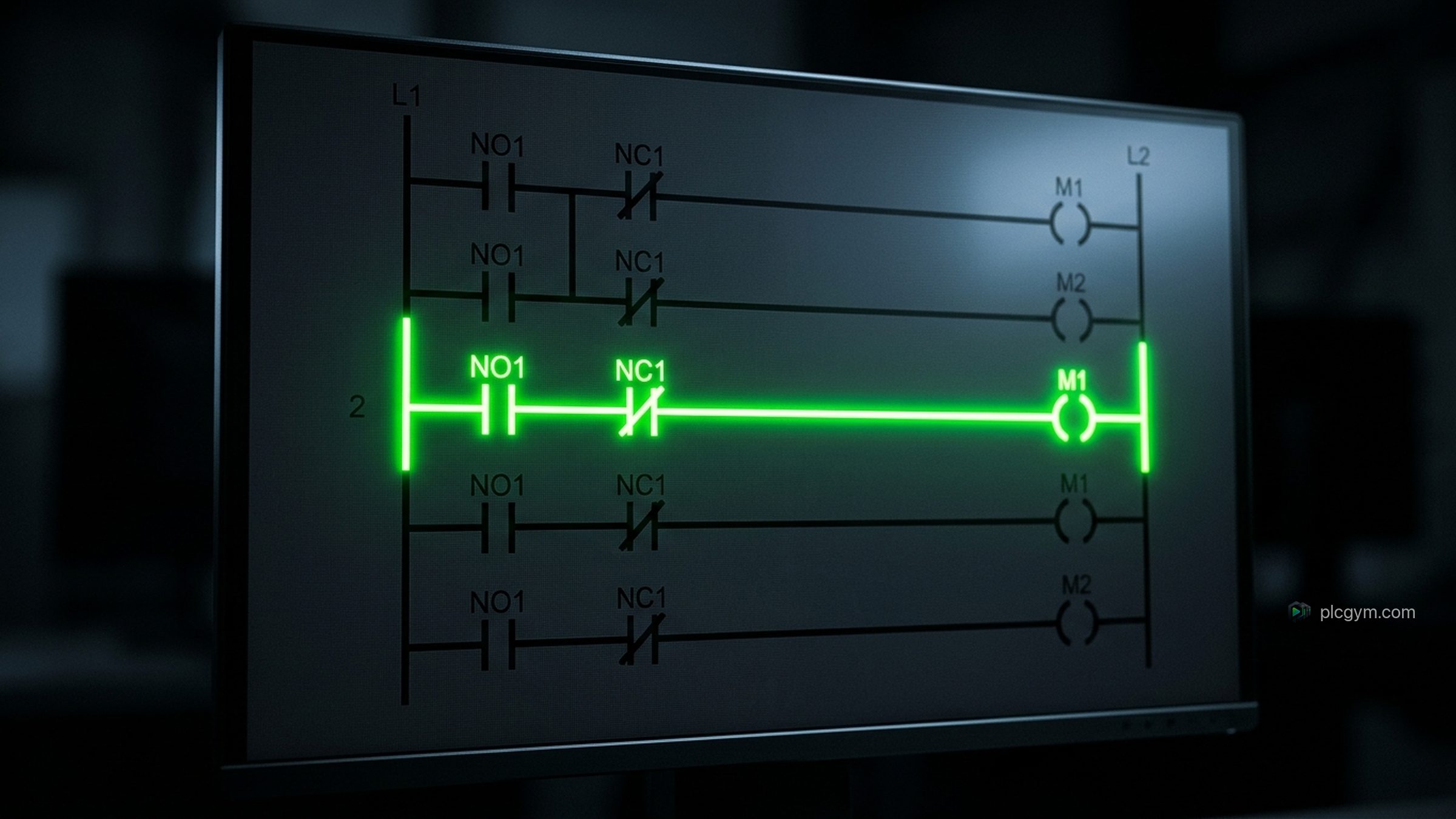
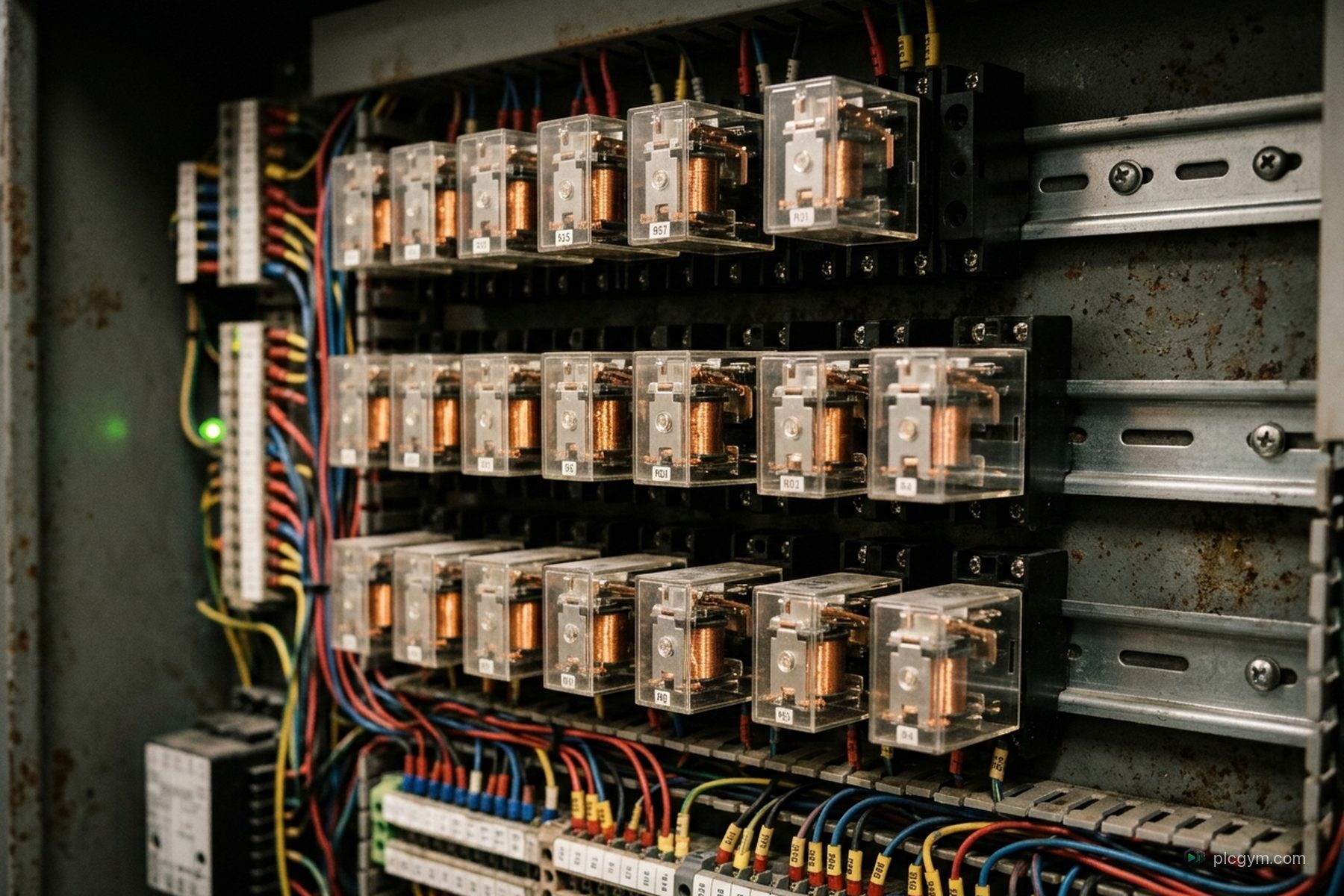
Before PLCs, machines were controlled by banks of relays wired together in a cabinet. Engineers drew those circuits as two vertical lines, the power rails, with horizontal lines between them for each circuit. The drawing looked like a ladder, so the lines became known as rungs.
When PLCs arrived, their designers kept that same style of drawing so the people who already understood relay circuits could program the new controllers. That's why ladder still looks like an electrical drawing today, and why it feels familiar to anyone used to reading wiring diagrams.
The three symbols you need first
You can do a surprising amount with just three symbols.
  Normally open contact    ---| |---
  Normally closed contact  ---|/|---
Coil ---( )---| Symbol | Rockwell name | What it means |
|---|---|---|
| Normally open contact | XIC, Examine If Closed | TRUE when the bit it checks is 1 |
| Normally closed contact | XIO, Examine If Open | TRUE when the bit it checks is 0 |
| Coil | OTE, Output Energize | Sets its bit to match the rung |
Siemens LAD draws the same three symbols and calls them a normally open contact, a normally closed contact and a coil.
Each rung is read like a circuit. If there's a path of TRUE contacts from the left rail to the coil, the coil's bit is set to 1. If not, it's set to 0. Contacts side by side in a line mean AND. Contacts on parallel branches mean OR.
Rockwell also has latch and unlatch coils, OTL and OTU, and Siemens has set and reset coils. They're useful, but leave them for now. We'll come back to why.
The trap: a contact checks a bit, not a button
This is the single most important thing to understand, and it's worth slowing down for.
A contact doesn't care what's physically attached to the input. It only checks whether the bit in memory is 1 or 0. Rockwell's name for the normally open contact says it all: Examine If Closed. It examines the bit.
Now think about a Stop button on a real panel. Stop buttons are often wired normally closed, so the input is ON all the time until someone presses the button. The reason is safety. If a wire breaks, the input goes OFF, which looks exactly like someone pressing Stop, so the machine stops instead of carrying on with no working Stop button.
That means on a real panel, a Stop button wired normally closed is usually programmed with a normally open contact, XIC. The input is 1 while nobody's pressing it, so the rung can run. Press Stop, the input drops to 0, and the rung breaks. It feels backwards the first time you see it. Once it clicks, you'll never forget it.
In the PLC Gym simulator, the Stop tag is simply TRUE while it's pressed, so you'll use a normally closed contact for it there. Different wiring, different contact, same idea: the contact checks the bit.
Build a start and stop circuit
Here's the circuit you'll find on almost every machine with a motor. Press Start and the pump runs. Let go of Start and it keeps running. Press Stop and it stops. Stop always wins, even if someone is holding Start.
    Start          Stop       Permit         PumpOn
----| |-----+------|/|--------| |-----------( )----
            |
    PumpOn  |
----| |-----+
Here's what happens, scan by scan.
- Nobody's pressing anything. Start is 0, so the top branch is open. PumpOn is 0, so the lower branch is open too. The coil stays off.
- Someone presses Start. The top branch closes. Stop isn't pressed and Permit is on, so the rung is TRUE and PumpOn goes to 1.
- They let go of Start. The top branch opens again. But PumpOn is now 1, so its own contact on the lower branch keeps the rung TRUE. The pump keeps running. That's the seal in.
- Someone presses Stop. The Stop contact opens. Both branches have to pass through it, so the rung goes FALSE, PumpOn drops to 0, and the seal in lets go.
Notice where Stop and Permit sit: after the point where the two branches join. That placement matters. If you put Stop only on the Start branch, the seal in branch would bypass it, and Stop would do nothing once the pump was running. That exact bug is the subject of our Stop doesn't stop it mission, and writing the circuit correctly is Make it stay running.
Permit is an example of a permissive, a condition that must be true before the pump may run, such as a valve being open or a tank having enough water. Our permissives mission is a good place to practise those.
Why not just use latch and unlatch?
You could write the same circuit with a latch coil on the Start rung and an unlatch coil on the Stop rung. It works. But there's a difference worth understanding.
A seal in drops out on its own the moment any of its conditions fail. Lose Permit, and the pump stops. A latch stays set until something deliberately unlatches it. If you forget to unlatch it for one of the reasons the pump should stop, the pump carries on. So for simple start and stop logic, the seal in is usually the safer, clearer choice. Latches have their place, but use them on purpose.
Timers in ladder
Timers are the next thing you'll need. An on delay timer starts counting when its rung goes TRUE, and its done bit turns on once it reaches the preset.
    Start                     FillDelay
----| |-------------------[TON  PRE 5000]----

  FillDelay.DN                  PumpOn
----| |-----------------------( )------------
In Rockwell's Logix controllers, timers count in milliseconds, so a preset of 5000 is five seconds. In Siemens, you give the timer a time value such as five seconds directly. Either way, if the rung goes FALSE before the time is up, an on delay timer resets and starts again next time. Our on delay mission shows this against a real process.
Mistakes beginners make
- Treating a contact as the button. As above. Always ask what the bit is, not what the button looks like.
- Writing the same coil on two rungs. The PLC works down the rungs in order, and the last rung to write a coil wins. An earlier rung can look as if it's broken when it's simply being overwritten.
- Forgetting the scan order. A bit changed lower down isn't seen by the rungs above it until the next scan.
- Leaving Stop off one branch. The seal in bypass from earlier. Make every path to the coil pass through every stop condition.
- Using latches by default. They stay set until something clears them, which can surprise you when a stop condition is missed.
- Thinking the program is the emergency stop. It isn't. On real machines, the emergency stop is a safety function designed to its own standards, such as ISO 13850, not a rung in the everyday program. Your ladder can react to it, but it shouldn't be what makes it work.
Our review the AI mission is a good test of all this. It gives you a draft from an AI assistant that switches the pump on and off in two separate places. It looks fine until someone presses Start and Stop at the same time.
Where to go next
Once contacts, coils, seal ins and timers feel natural, you've got the foundations of most real machine logic. From there, it's counters, analogue values, and sequences that move through steps.
Ladder is also only one of the PLC languages. If the logic starts getting complicated, with maths or lots of states, Structured Text is often tidier. And if you want the bigger picture of how it all fits together, start with how PLC code works.
If you'd like to practise ladder in the style you'll see in Studio 5000, our Allen-Bradley PLC training takes you from your first rung to full sequences on working 3D machines. The glossary entry on ladder is handy to keep open while you work, as is the one on interlocks.
Sources
- Ladder logic, Wikipedia, on its history in relay circuits
- Bit Instructions, Studio 5000 Logix Designer help, Rockwell Automation
- Logix 5000 Controllers Ladder Diagram programming manual, Rockwell Automation
- Timer On Delay with Reset (TONR), Rockwell Automation, on the millisecond time base for Logix timers
- Why you should use normally closed for stop buttons, PLC Academy
- ISO 13850:2015, Safety of machinery: Emergency stop function, International Organization for Standardization
Practise it
Try it on a working machine
Write real Siemens or Rockwell code in the free online PLC simulator and watch a 3D pump, tank or filling line do exactly what you told it. Nothing to install.
Read next

Structured Text programming: a beginner's guide
Structured Text programming for beginners: IF, CASE, FOR, timers and the scan, with examples for Siemens SCL and Rockwell Studio 5000.
Read the guide
Programming logic controllers: how PLC code actually works
Programming logic controllers, explained: how a PLC reads inputs, runs your code and sets outputs, the standard languages, and how to start.
Read the guide
PLC technician training: the routes into the job
PLC technician training in the UK: apprenticeships, college courses and self study, what the job involves and the skills employers ask for.
Read the guide